


Account check guide
Spin Casino Verification
Everything about Spin Casino verification for players in Canada: where to upload, what to prepare, and how to fix a rejected file.
- C$1,000 over 3 deposits
- 10 daily Wheel spins
- Kahnawà:ke licence 00892
- Interac & Apple Pay

In short: Spin Casino verification is a one-time identity and age check. Log in, open Profile, then My Account, then My Documents, and upload your photo ID, a recent proof of address and, if asked, proof of your payment method. Each file can be up to 10 MB.
Step by step with screenshots
Verification sounds like a hurdle, yet it is mostly a ten-minute job once your papers are on the table. Spin Casino checks who you are and how old you are because licensed operators have to, and because it keeps your balance safe from anyone who is not you. The upload area lives inside your account, so there is nothing to download and nothing to email.
The route is the same whether you play on a phone or a desktop: you sign in, open the Profile section, go to My Account and pick My Documents. Choose the tab below that matches the way you play. If you have not registered yet, you can open your account here and come back to this page when the casino asks for papers.
On the website
Log in: sign in to your Spin Casino account from a phone browser or a computer.
Open Profile: find the Profile section of your account.
Choose My Account: select My Account inside Profile.
Open My Documents: select My Documents and follow the prompts for each document the casino lists.
Upload each file: add clear photos or scans, with every file at 10 MB or smaller.
Wait for the review: let the team go through the files, and ask live chat if you want an update.
In the app
Open the app and log in: use the iOS app or the Android APK from the site, or just your mobile browser.
Go to Profile: the casino describes the same path on mobile as on desktop, starting with Profile.
Tap My Account, then My Documents: follow the prompts shown there.
Photograph or pick a file: use good light, keep the document flat and stay under 10 MB per file.
Send it and check back: return to the same screen later to see whether more is needed.
What the app screens look like
These three pictures come from the official iOS app. They show the game areas you land in once you are logged in, not the document page itself, so use them as orientation while you look for the account area in your own version of the app.
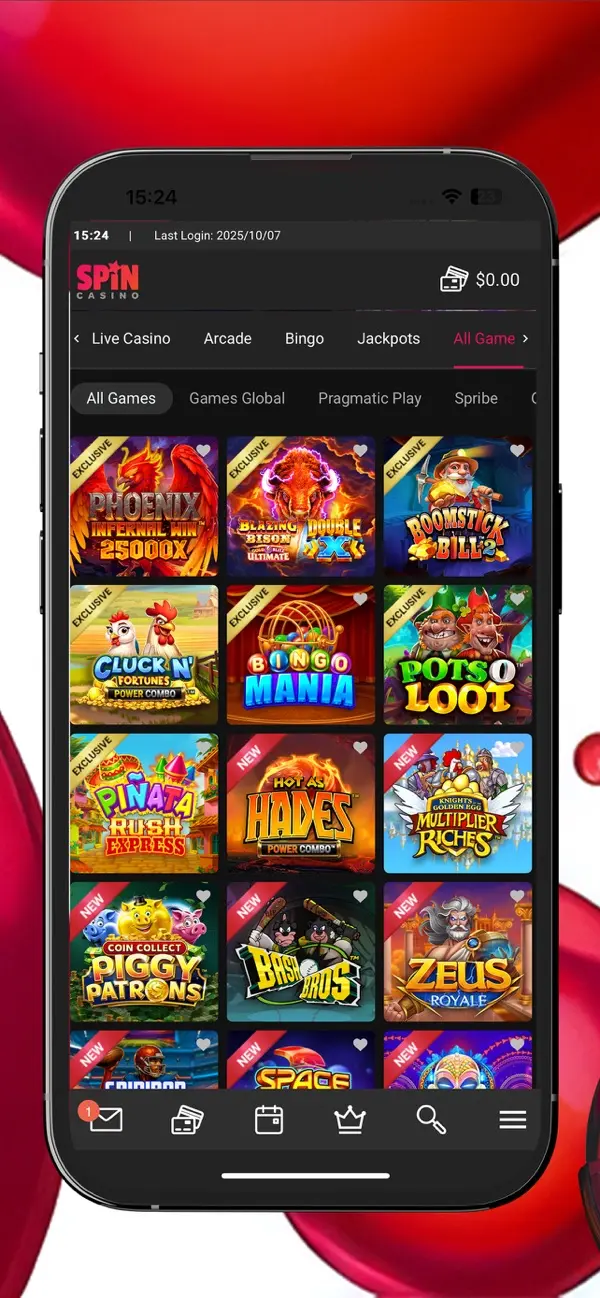
The All Games lobby grid you see after logging in. Verification is handled in your account area, not here. 
A slot screen. Deposits and play work as usual while documents are being reviewed. 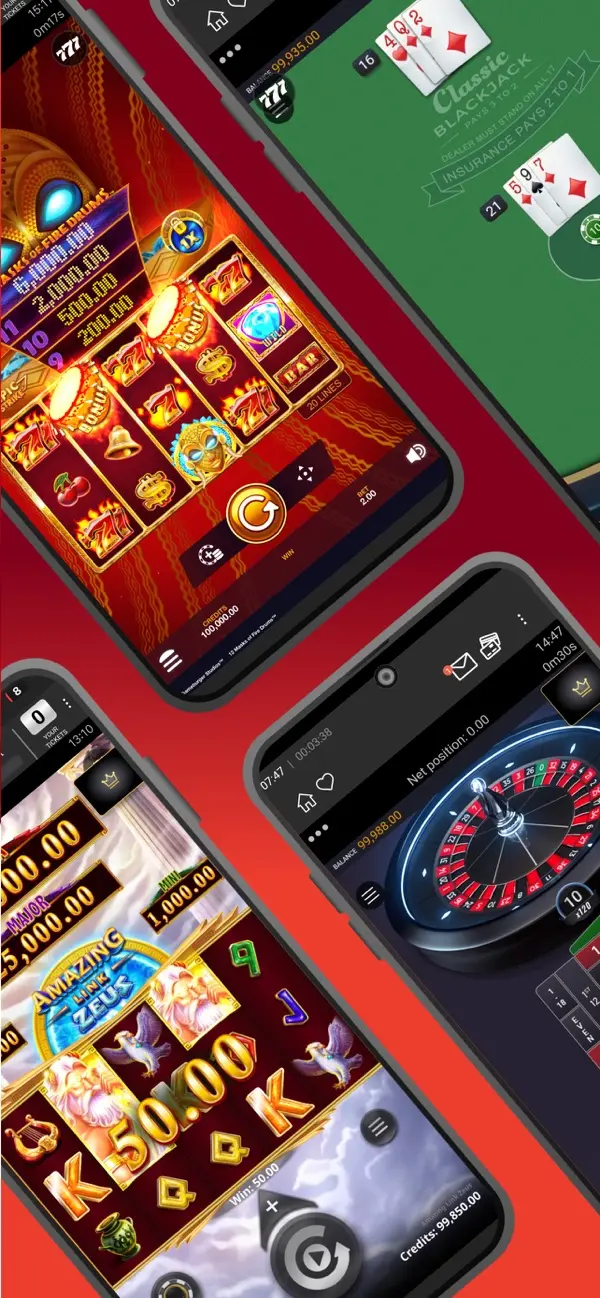
A game feature-select screen. Step back to the main menu and open Profile when you are ready to upload.
Tip: upload while you are still setting up the account rather than the night you want to cash out. The check is far calmer when no payout is waiting on it.
Documents you need
The casino's terms list what it may ask for before registration is finished or before a financial transaction is handled. Not every player gets every request. Think of the list as a menu the team picks from, depending on your account, your payment method and what the regulator expects.
- Photo ID: a copy of a passport or a driving licence, the kind of government-issued card that shows your name, photo and date of birth.
- Proof of address: a bank statement or a utility bill showing your home address, not older than 6 months.
- Proof of payment method ownership: evidence the card or wallet you use is yours, requested where it applies.
- Proof of income: only if applicable, and not something most players see.
- Source of wealth papers: examples named in the help answers are bank statements, payslips, inheritance paperwork or recent business accounts, asked for in anti-money-laundering reviews.
Age and where you live
You must be 18 or the age of majority in your province, whichever is higher. In most provinces that means 19, while Alberta, Manitoba and Quebec use 18. This site covers the Spin Casino product for Canada outside Ontario. Players in Ontario are served by a separate regulated site and cannot open an account here, and Alberta is treated in the same way, so your address document should match a province the .com/ca product serves.
Name matching
The name on your payment card has to match the name you registered with. The terms say an account can be suspended when the two differ, so spell your name on the account exactly as it appears on your ID and use only cards and wallets issued in that name.
Photo quality checklist
- All four corners of the document visible.
- Text sharp enough to read at full size.
- No glare from the flash or a window.
- Document not expired.
- Statement or bill dated inside the last 6 months.
- Each file at or under 10 MB.
If a document has two sides, such as many driving licences, photograph both and send them as the prompts ask. If you are not sure whether a particular paper counts, ask in live chat, which the About page explains, before you spend time on it.
Why Spin Casino checks you
It helps to know the reasoning, because the requests then feel less random. The casino's terms set out several rights that sit behind every document request, and each one has a practical purpose for you as the player.
Identity and age
The casino may ask for proof of who you are and how old you are as a condition of playing. It also needs to know you are of age where you live, and it can pause an account until that proof arrives.
Right to the money
By signing up you authorise the casino to confirm your identity and your right to dispose of the funds you use. This guards honest players from stolen cards and borrowed accounts.
Checks at any time
The details you gave can be checked whenever the casino sees fit, not just on day one. That is why a calm, tidy document folder pays off.
On top of that, anti-money-laundering rules mean the team can ask where funds came from. The help answers mention bank statements, payslips, inheritance papers or recent business accounts as examples. The terms add that a payout may be held while source of funds, proof of age and proof of identity are requested. If you never receive such a request, that is normal. It only appears when something in the account calls for a closer look.
The terms also say that when someone does not supply what is asked, an account can be closed. That sounds stern, but in everyday play it simply means the casino expects an answer. Reply, send the papers, and you stay in good standing.
The same wording appears across other brands run by the same operator, which tells you this is a group-wide routine and not something aimed at one player. You can read more on how the group fits together on the sister sites page.
Prepare in ten minutes
A tiny bit of preparation turns verification into a coffee-break task. Work through this order and you will rarely need a second attempt.
Gather your ID: pick a passport or driving licence that is still valid and lay it on a plain, well-lit surface.
Find an address paper: a bank statement or a utility bill with your name and address, dated within the last 6 months.
Check your payment method: make sure the name on the card or wallet matches the name on your account.
Take clear photos: shoot from directly above, avoid shadows, and keep each file under 10 MB.
Name your files sensibly: something like passport-front and bank-statement helps you recognise them later.
Upload from My Documents: go through Profile and My Account, then attach each item when the prompt asks for it.
If your bank statement is a PDF you downloaded, check the date range printed on it before sending. Statements that look fresh can still cover a period outside the 6-month window, and that single detail is one of the more common reasons people are asked to send something again.
Finally, glance at your account details. A typo in your name, a missing apartment number or an old address will not match the papers, so correct them first. Small mismatches are easy to fix before you upload and annoying to untangle afterwards.
How long verification takes
Players always want a number here, and the honest answer is that Spin Casino does not publish one. Neither the help answers nor the terms give a review time. Third-party reviews float figures between a day and three days, but those are impressions rather than promises, so plan around them loosely instead of counting on them.
Complete files
Everything requested, sent in one go, avoids the back-and-forth that eats most of the waiting time.
Readable scans
Sharp, uncropped images save a second round, because blurry shots are the number one reason for a retry.
Matching names
When your ID, account and payment method all show the same name, the reviewer has nothing to question.
Weekends are worth a thought. The cashier's pending period runs on a rolling 24 hours and no withdrawals are processed at weekends, so a Friday evening request tends to sit until Monday whatever your verification status is. Start on a weekday if you want to see the process move.
Verification and your withdrawals
For most players the first withdrawal is the moment verification becomes real. The terms let the casino ask for identity papers before a transaction is processed, and they note that any withdrawal may see a slight delay while the identity check runs. After that, an anti-money-laundering review can follow, and the casino may hold a payout until the requested papers arrive.
You request a payout: the minimum withdrawal is C$50, and the money returns to the method you deposited with.
The pending period runs: a rolling 24 hours, with no processing at weekends. Your balance stays yours during this time and you can reverse the request.
Checks are completed: identity and, where needed, address and payment method papers are reviewed.
The payment is sent: Interac, Visa and eCheck usually take 1-3 business days, while web wallets take 24-48 hours.
Express Withdrawals, available on selected methods, let a verified player skip the pending wait once the request is approved. That is a good reason to finish your documents early. For larger sums the terms also mention copies of a bank statement, photo ID and a recent utility bill, which is why uploading the full set up front is the smoother path.
Checks the regulator can require
The terms also say that, when regulators require it, identity is checked once a single transaction or a running total of transactions passes a set threshold. No figure in Canadian dollars is published, so it is simpler to verify early than to guess. Casino staff can ask at any time.
Good to know: if a withdrawal stays unclaimed because the player never answers the casino's requests, the terms say it can be returned to the casino account. Reply to a document request promptly and your money keeps moving.
Welcome bonus funds follow the usual rules, with a 35x wagering requirement, so it is worth checking the C$1,000 welcome package alongside your documents, and keeping an eye on the status page if the site seems slow while you upload.
Common problems
Nearly every snag falls into a short list. The official help answer for rejected files names three reasons, and the terms add a few more situations that trip people up. None of them is serious, and each has a plain fix.
Illegible file
A blurred, dark or cropped picture is the classic cause. Retake it flat on a table in daylight with the whole card in frame.
Expired document
An expired passport or licence will not pass. Use a current one, and check the date before you press send.
Guideline mismatch
The file does not meet the verification guidelines, for example an address paper that is too old. Look up the date and swap it for a fresher one.
Name mismatch
The card name differs from the account name. Update your details through support or use a card in your own name.
File too large
Each upload has a 10 MB ceiling. Lower the photo resolution or save a smaller scan and try again.
Slow review
No review time is published, so patience helps. A polite chat message after a reasonable wait is fine.
When the camera is the culprit
Phone cameras are good, yet they still betray you under a kitchen light or on a shiny table. If the first attempt bounced, move next to a window, lay the document on a dark matte surface, hold the phone parallel to it and let the focus settle before you tap. Skip filters and heavy editing, because a plain, honest picture is what a reviewer wants to see.
Sending the wrong kind of paper
A screenshot of an online banking page, a photo of a card with the number hidden by your thumb, or a letter with the address torn off all invite a second request. Where the casino asks for a bank statement or a utility bill, send the whole page, with your name, address and date visible together. Where it asks for photo ID, send the document itself and not a photocopy of a photocopy.
Changing your address
Moved house? The same My Documents area is used to update your address, reached through Profile and My Account. Upload a fresh proof of address in your new name and place, and keep the old file out of the way so the reviewer does not see two conflicting addresses.
Joint accounts and shared cards
Because the name on the card must match the account name, a card held jointly or issued to a partner can cause trouble. Pick a method issued in your name alone and your payment ownership check should be straightforward.
Note: the official help text does not publish detailed lists of photo mistakes such as cut corners. Treat the checklist above as good practice rather than quoted rules.
What to do if it did not work
A rejected file is not the end of the road. The account normally stays open while you sort it out, though the terms do allow the casino to suspend an account until requested documents arrive, so it pays to act the same day.
Read the message: check your account notices for the reason given. It will usually point to one of the causes listed above.
Fix the file: retake the photo, replace the expired paper or find a statement dated within 6 months.
Upload again: return to Profile, My Account, My Documents and send the new version.
Open live chat: the 24/7 chat works in English and French. Say which document was refused and what you changed.
Try the Help Centre: the help portal at help.spincasino.com and the Help Centre in your account hold further guidance, although the public portal shows little verification detail.
Keep your questions short and specific. "My proof of address was refused, I replaced it with a bank statement from last month, can you confirm it is on file" gets a faster answer than a general complaint. There is no phone line, so do not spend time looking for one. If the matter drags on and you feel play is getting out of hand while you wait, remember the support options listed in the responsible gaming section of this site, such as PlaySmart at playsmart.ca or the Responsible Gambling Council at responsiblegambling.org.
Some players prefer to wait a day before chasing. That is reasonable, since no review time is published and a reply may simply be on its way. If a second day passes with no change, or if the messages in your account do not match what you uploaded, contact support and mention the document type and roughly when you sent it. Staying polite and specific is the quickest way to a clear answer, and it keeps the conversation friendly for both sides.
Tip: save a copy of every document you send, plus any chat transcript. If you need to refer back to what was submitted, you will have it to hand.
Keeping your documents safe
Sending ID online makes sensible people cautious, so a few habits help. Only upload inside your logged-in account, through the My Documents screen. The help answers do not describe any emailed route for documents, so treat any message asking you to mail ID as suspicious.
Use the account area: upload only after you log in, never through a link in a message.
Protect your login: a strong, unique password keeps your documents and balance out of other hands.
Choose a trusted network: avoid public Wi-Fi when you send sensitive scans.
Delete spare copies: remove photos of your ID from your phone gallery once the check is done.
Know the operator: the site is run by Baytree Interactive Ltd under a Kahnawà:ke Gaming Commission licence, number 00892.
Confirm in chat: if a request looks odd, ask live chat whether it is genuine.
The licence matters because it ties the casino to a regulator that expects identity checks to be done properly. You can read more about the group and the people behind the brand on the About page, or head back to the home page for the full overview of the site.
Myths and misconceptions
Verification collects more rumours than almost any other topic around online casinos. Here are the ones that come up most, set against what the published rules actually say.
- "Verification is only a trap to avoid paying me."
- It is a standard step for age and identity that licensed operators carry out. The terms describe it as part of how deposits and payouts are protected.
- "I can skip it if I only play small."
- The casino may ask at any time, and the terms tie the regulator check to a running total of transactions, not to the size of a single bet. No amount is promised as a safe zone.
- "I must email my passport to support."
- The published route is My Documents inside your account. Email is not given as a way to send papers.
- "Any old bill works as proof of address."
- The terms ask for a bank statement or utility bill that is not older than 6 months.
- "Verification always takes exactly 24 hours."
- No official review time is published. Anything quoted elsewhere is an estimate.
- "A selfie video is always required."
- Nothing in the published help answers or terms lists a selfie or liveness check as a general rule.
- "Once I am verified, nobody will ever ask again."
- The terms allow checks at any time, and larger withdrawals or an address change can bring a fresh request.
- "I can use my friend's card if I give them the money."
- The name on the card must match your account name, and withdrawals return to the method you deposited with.
Once your papers are in, there is nothing left to do but enjoy the games. When you are ready, go to the lobby and pick up where you left off.
Spin Casino verification questions answered
Is Spin Casino verification compulsory?
Yes. The casino treats identity and age checks as standard practice, and the terms let it ask for documents before or during registration and before it processes a financial transaction. Most players are asked once, usually around the first withdrawal, and then they are free to play and cash out as normal.
Where do I upload my documents at Spin Casino?
Log in on your phone or computer, open Profile, choose My Account, then My Documents, and follow the prompts. The same area is used for a change of address. Each file you upload can be no bigger than 10 MB.
How long does Spin Casino verification take?
The casino does not publish a processing time, so no official number exists. Reviews quote anything from a day to a few days, but that is hearsay. Sharp, complete scans and a name that matches your account give you the best chance of a quick review, and live chat can tell you where your file stands.
Which documents might Spin Casino ask for?
Typically a copy of photo ID such as a passport or driving licence, a document showing your home address that is not older than 6 months, and proof that you own the payment method you used. Proof of income can be requested where it applies, and source of wealth papers can be requested for larger sums.
Why was my document not accepted?
The official help answer names three causes: the file is hard to read, the document has expired, or it does not meet the verification guidelines. Retake the picture in daylight, show all four edges, and check the expiry date before you send it again.
Do I have to verify before my first withdrawal?
In practice, yes. You should expect the check to be completed before your first payout leaves the cashier, and the terms also say withdrawals may see a slight delay because of identity verification. Uploading your files right after you register removes most of that wait.
What happens if I never send the documents?
The terms say an account can be closed when requested papers are not supplied, and a payout may be held until they arrive. A withdrawal that stays unanswered can also be returned to the casino account. Sending the files promptly avoids all of that.
Who can I ask if I am stuck?
Use the 24/7 live chat, which works in English and French, or the Help Centre inside your account. The casino has no phone line, so chat is the quickest route to a person who can see your case.

Get your account ready to cash out
Register, upload your papers early, and the first C$1,000 welcome package plus 10 daily spins on the Mega Millionaire Wheel are waiting for you.
- C$1,000over 3 deposits
- 10 spinsdaily on the Wheel
- Expresswithdrawals
19+ • Play Responsibly • ConnexOntario 1-866-531-2600